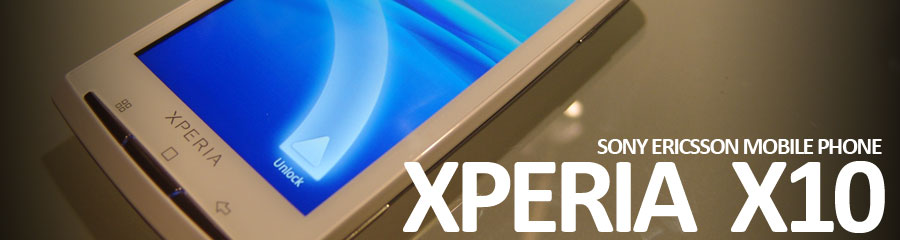
It’s been about 5 months since I started my Android “liffestyle” and as I’ve noted in my Sony Ericsson Xperia X10 review, Android has been mostly a positive experience. It works fast, reliably and doesn’t get in the way.I must give Sony Ericsson credit though. I didn’t realize how much customization they really did to Android 1.6. For example, one of my colleagues was surprised I had desktop folders and the ability to wirelessly transfer files via Bluetooth. I always thought this was standard functionality but apparently it’s not for OS 1.6.
I do have one complaint though. I have no idea how the Android Marketplace works in terms of application visibility and availability. Far too often, I’m unable to see applications that I should be able to run and should be available to me. Luckily, I have friends who can share the APK files with me so I can manually install. As a consumer and a developer, it’s an inconvenient experience and a frightening prospect, respectively.
A common scenario is that I’ll read about “x” app and how it’s a “must install” but then I’ll go to the marketplace and see that it doesn’t exist. WTH? Google really needs to address issues like this. Also, it’s a painful experience to find good apps within the marketplace. Thank goodness for AppBrain which makes application discovery and installation so much easier. The fast web installer option,which installs apps directly to phone from the web, is simply brilliant. There is still an underlying problem occasionally. AppBrain will show me apps that I cannot see in the Android Marketplace…and in some rare cases, it will install some apps even though I can’t see them in the Android Marketplace.
Also, I’m starting to notice the OS fragmentation as I’m unable to run some applications because Sony Ericsson still hasn’t pushed out their 2.x update (should be available this month). That’s my issue though since I knew Sony Ericsson would be slow with firmware updates. Still, it’s troubling that support for an OS that’s barely a year old is already an issue. I’m glad that they’re going to be slowing down the rate of OS releases so that software and devices can have a chance at maturing and having a useful shelf-life.
We’ll see if I’m complaining less once I get my 2.1 update…
There’s a lot of commotion going on about the awesomeness of Apple’s Retina Display and I think it’s getting blown out of proportion. Before I share my thoughts, let me just begin by saying that I think the iPhone 4 is a wonderfully crafted piece of hardware. As always, Apple gets high marks for thinking “different” and really putting the user experience first.
Now on to this Retina Display screen.
Apple gets to claim highest resolution screen on the market due to their quadrupling of pixels thanks to the doubling of screen dimensions. I suspect they chose this resolution in order to maintain easy compatibility to all their software programs since it’s programmatically easier to do a double scale. Also, compared to the competition the existing ppi of their product at 165ppi was noticeably blurrier than the competition. Of course, they now get to say they have a 300+ ppi screen and dream up some marketing slogan about why it’s so good. Granted, they’re not the first to have this. In recent memory, the Sony Xperia X1 released in 2008 had a 800x480 resolution screen at 3” which equates to around 312 ppi. I still have this phone so I can verify that having the high ppi “can” make a difference….up to a point. The problem is that having a high resolution on a small screen doesn’t end up helping most people much because they end up increasing font sizes or zooming into the content anyways because the display port itself is so small. Ask anyone with devices with 4 or 4.3” screens with 854x480 or 800x480 resolutions and you won’t hear anyone complaining that they have trouble reading their screens. My Xperia X10i has a 245ppi screen at 4” and I have to try really hard to make out the pixels.
Most of the reviews comparing the Retina display have been doing so with close ups where the camera macro-focused on the screens. This doesn’t seem to mimic real world usage (i.e. holding the device 12-18 inches in front of you) and most people are not going to be able to tell the difference. So, while it’s an improvement, it’s not really that much better. I’d argue that there’s a point where simply having a larger screen more than makes up for having more pixels per inch. Imagine monitor shopping where you’re comparing a 20” 1920x1080 LCD monitor to a 23” 1680x1050 LCD monitor. While the 20” may be crisper, it’s probably just as easy (if not easier) to read text on the 23” screen since text is larger.
So, while I like the direction Apple is going with their display, it’s simply not that big a deal.
It’s amazing how far mobile plans have come thanks to competition, technology and changes in our usage patterns. After examining my monthly bills for the past year, I noticed that my actual voice usage dropped to a paltry average of less than 200 minutes a month. It wasn’t long ago that I needed at least 1000 minutes to cover my needs. However, that’s all changed and use much less voice now and my text and data usage has increased exponentially. My current plan didn’t reflect my usage patterns so I decided to change it. As a result I’m saving over $20/month which is fantastic.
So, here’s a breakdown of the change:
1000 Minutes (+ Nights/Weekends) -> 500 Minutes (+ Nights/Weekends)
1000 Text -> Unlimited Text
Unlimited Data -> Unlimited Data
Month-To-Month -> Month-To-Month
T-Mobile Hotspot -> No T-Mobile Hotspot
So, I’m losing the T-Mobile Hotspot service which is ok since most Starbucks no longer support it anymore and I’m traveling less now. Also, since I can tether my laptop to my phone it’s not as important as before. So, overall I’m pretty happy to be saving $20 a month and even better was that I didn’t have to sign up for any sort of 2-year agreement. It’s this great customer service that’s kept me a customer for the last seven years.
I’m also glad that T-Mobile’s data plans actually make sense unlike AT&T’s newest data plans which are ridiculous. I think they they make some sense for casual use but with the latest smartphones encouraging more data usage, the plans are a worse deal for their customers. T-Mobile’s rule is truly unlimited with the fastest speeds up to 5GB per month and with slower connection speeds should you go over that limit. There’s no extra charge. Of course, T-Mobile has to do this as one of the smaller carriers but at least they’re giving their customers incentive to stay on the network. I actually like that they’re smaller. I don’t drop calls. 
At any rate, I suggest that people check their plans from time-to-time to see if they’re matching up with their usage. You might find that there are some hidden savings.
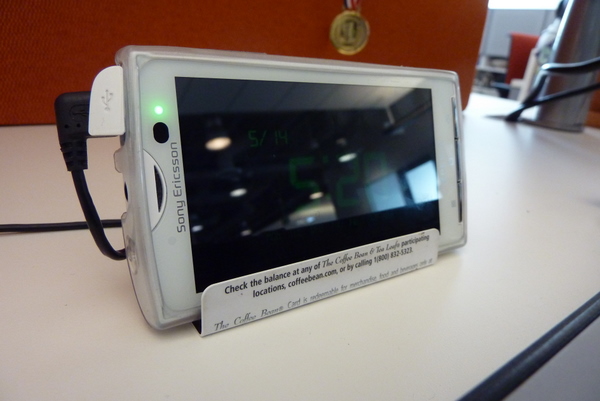
Inspired by my coworkers who had bent used gift-cards into phone stands, I decided to do the same. Unfortunately, I ran into some problems. My new Sony Ericsson Xperia X10 was a lot larger than their phones and due to the size and weight, their stand design did not accommodate mine. So, I set out to design one that would work for me and allow me to orient the phone in portrait and landscape mode.
Here are some shots of the design. For the most part, this is a $0 Do-It-Yourself project assuming you already have the tools and some cards. I used some used iTunes and Coffee Bean gift cards. You could use old “credit/bank cards” but you should probably shred those. Anyways, you’ll need the following:
- Two used gift cards
- Paperclip
The cards alone aren’t enough since the device weight is too much for the cards. Thus, the paper clip is needed for added support and counterbalance. You will also need these tools.
- Needle nose pliers
- Xacto knife
- Cutting board
When folding the cards, you may or may not want to score the cards first so you have a straight line. Also, be aware that some cards bend and break easier than others so take your time.
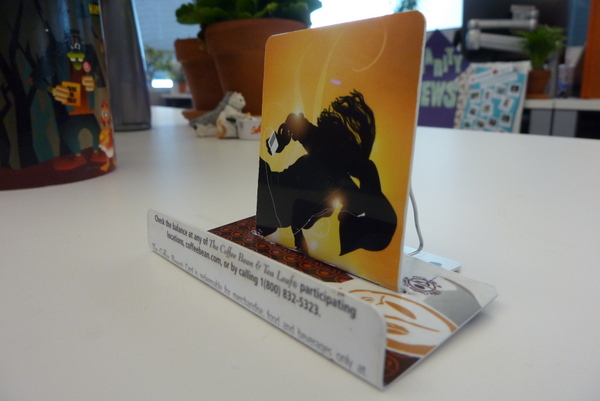
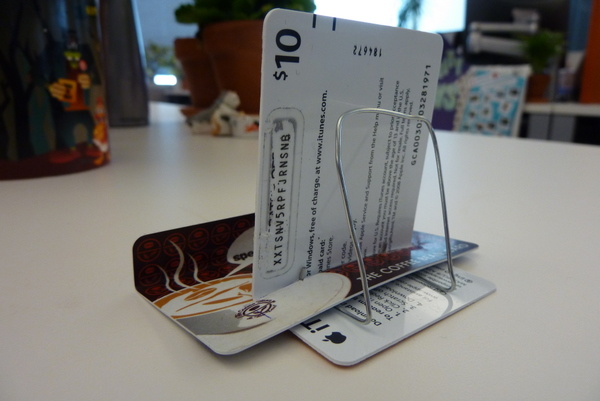
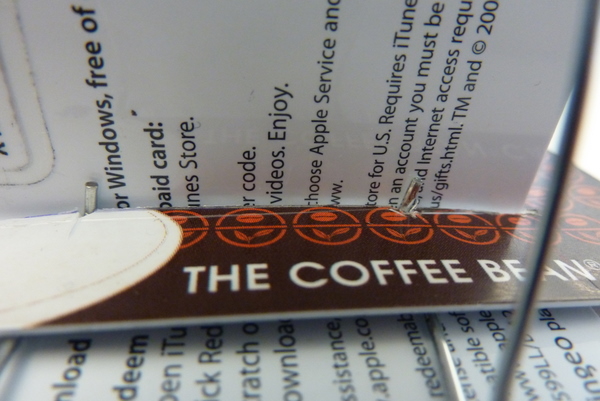
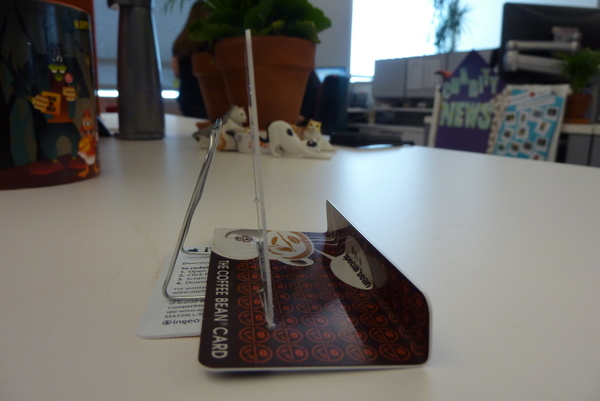
You’ll notice I made small notches by the slit to secure the paperclip. I may redesign the paper clip to hold the cable a little better.
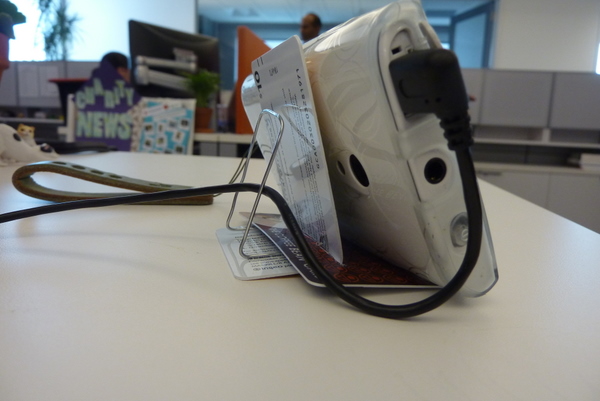
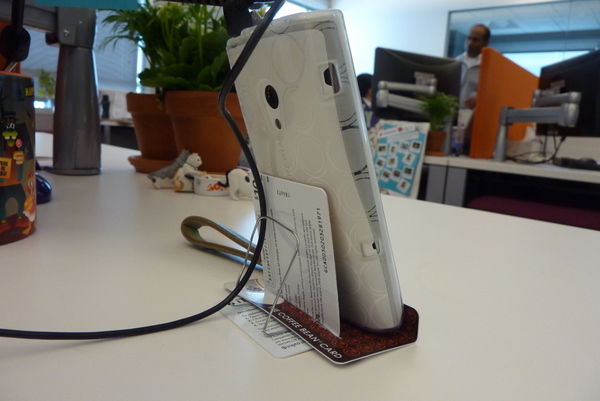
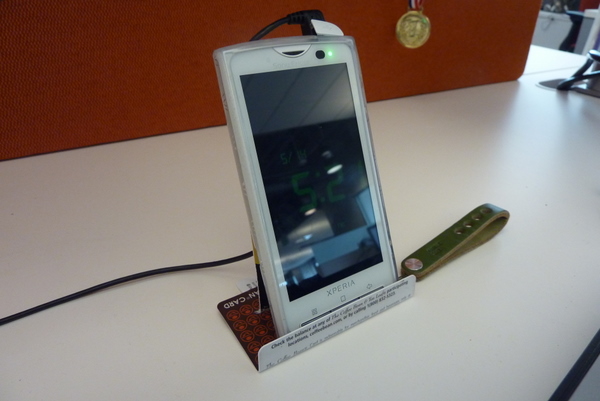
For those who are curious, I’m using a right angle micro USB cable so that the cable doesn’t stick straight upwards. You can find it at Amazon: Startech.com 3FT Right Angle Micro USB Cable Is A Fully Rated USB Cable .
.
FWIW, we tested the stand with other phones and it’s compatible with the iPhone, Motorola Droid, and Nokia N97.
If you want exact measurements, leave me a comment and I’ll post “schematics”. I plan on making a few small upgrades like adding rubber nubs on the base. More updates to follow. Enjoy!
Enjoy!