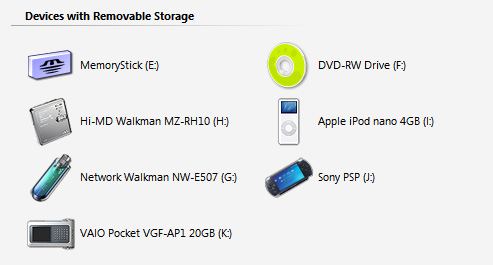
Yes, those devices are all actually connected simultaneously. I would have connected more devices if I had more devices and if I had more USB ports. I simply ran out of ports! (VAIO S + Port Replicator)... :shock:
Device list:
VAIO Pocket - Nice and clean. No variations.
Sony Playstation Portable (PSP) - including two black versions, one horizontal and diagonal.
iPod Nano - including both black and white versions.
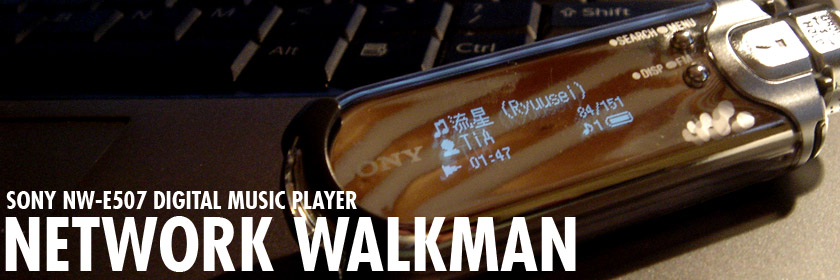
Sony Network Walkman NW-E/Axxx Series - only the emerald/green version for now.
Sony Hi-MD MZ-RH10 Minidisc Player - only the silver version currently.
Simply download and unzip into the root directory of your corresponding device. You can use any text editor to edit the autorun.inf file to change the labels to your liking or to use an alternative set of icons.
It should unpack files in the following manner:
\autorun.inf
\ICON\name_of_device.ico
In some cases there are more than one icon set if i have color variations. All icon sets have 16x16, 24x24, 32x32, 48x48, 64x64, 96x96, and 128x128 sizes so it should look pretty good on most systems.
More devices to come when I get some free time or if people ask.
Enjoy! 
New Icons…

Sony VRD-VC10/VC20 - just the icon.


Hitachi MicroDrive - just the icon

Canon S1 IS - just the icon as per request

Sony Cybershot DSC-T1 - just the icon

Sony Cybershot DSC-P100 - just the icon

Sony Cybershot DSC-F828 - just the icon

Sandisk Ultra2 - just the icon

VAIO VGN-S Series - two icons. one with vaio logo

VAIO PCG-TR Series - just the icon

VAIO VGN-T Series - just the icon

VAIO VGN-U Series - just the icon

Walkman Logo - zip file with color variations

Walkman Bean NW-E305 (White) - just the icon

Clie PEG-UX50 - zip file with variations