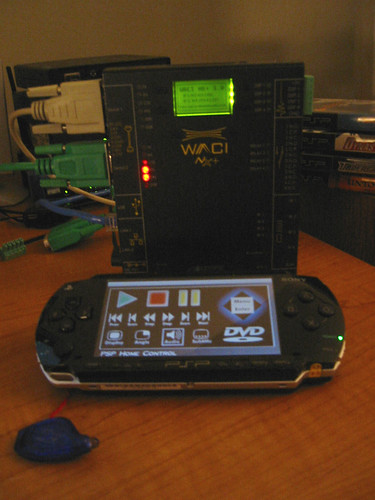
Gundam
Sony has prescribed a new firmware update, version 2.1, for your protection. :wink: Hurry, turn on your PSPs, go to the updater. You need at least ~16MBs of free space on your Memory Stick to load the 2.1 updater on (which after used, you may delete the file forever and reclaim that space for something else, like ... music! Or movies! Or pictures of .... stuff!!).
*Concura
In the meantime, I just wanted to give a few of my impressions on the game so far. I’ve been waiting for MediEvil: Resurrection’s release since I first heard about it, which was months ago. Despite hearing the neutral-to-positive reviews about the game before buying, I’m really impressed with the gameplay so far. I’ve just reached the Gallowmere Plains this afternoon (this is my second day playing) and obtained one of the Anubis stones (3 left to go).
The graphics look pretty good for a PSP game, though probably not as great as other games such as Wipeout Pure. You can see some minor noticeable “jaggies” on the edges of the characters, not really that bad, but the environment is quite picturesque and the cutscenes are impressive - movie-quality. There’s this place called the “Hall of Heroes” you get to go to after each area/stage if you find the ‘hidden’ Chalice and kill enough enemies to fill it up with souls. You usually encounter a past Hero in the Hall and have a brief and humorous chat, then receive the weapon that character has to offer.
Background music in the game isn’t that bad either. You’ll have to play the game to get the feel of the setting and interesting gameplay this title has to offer; I’d recommend it for anyone. There are two game demos built in the game that you can select at the main menu: the demos are Wipeout Pure (and Wipeout Pure game share), and MediEvil: Resurrection (and MediEvil: Resurrection game share) ... yeah, imagine that ... they have a demo built-in for the game that you already bought ... hmmm ....
That’s all I have to say about the game for now. Might post pics later.
*Concura
But discussing all of San Andreas’ enhancements to the GTA series would take too long. Plus, it’s not really the point here. What is the point is how these improvements (and others) have found their way into the latest entry in the series, Liberty City Stories for Sony’s PSP. As most of you know, GTA: LCS is Rockstar’s latest attempt at shrinking GTA into handheld form. Sure, GTA and GTA II appeared on the Game Boy Advance, but GTA: LCS is something different altogether. For the first time, the entire GTA III experience (and we do mean everything) has been re-imagined for a system meant to be stuffed in your trousers.
Trust me, when we saw the game at their offices in San Francisco they made a point of telling us this, like, 400 times. They wanted to make sure we told the gaming public to expect a brand new product for the PSP and that Rockstar had developed GTA: LCS to be the system’s undisputed “killer app.” This translates to all-new characters, missions and narrative, as well as a host of changes to help the series transition from small screen to smaller screen. Just don’t expect sweeping changes to the core GTA formula. The game still revolves around a single character and his violent ascent in the criminal underworld.
The story takes place three years before the events of GTA III and centers on Toni Ciprini, who has just returned to Liberty City after laying low for four years. He killed a rival mob boss, after all, and leaving town is simply the smartest thing to do. Anyway, he strolls into town and lands in the warm embrace of Don Salvatore Leone, who quickly places him under the command of “capo” Vincent Cilli. From here, Ciprini embarks on a journey filled with more blood, explosions, and executions than a stack of Schwarzenegger movies.
A lot more to read, check the link out yourself. :D
* Concura
Upgrade Instructions
Copy the firmware file: EBOOT.PBP into your PSP Memory Stick Update folder—> ROOT\PSP\GAME\UPDATE. Once the firmware is in the folder, navigate and load the firmware 2.0 - your US PSP will recognize the firmware immediately. Ensure that you have at least 60% of battery capacity prior to the update. Enjoy!
—> further discussion regarding firmware 2.0 at ATRACLife
Firmware 2.0: Update Notes:
—Revisions to strengthen security were added.
—An Internet browser was added.
—Go To was added as a feature under [Video]. (This applies to UMD Video)
—A-B Repeat was added as a feature under [Video]. (This applies to UMD Video and video data saved on Memory Stick)
—4:3 Screen Mode was added as a feature under [Video]. (This applies to video data saved on Memory Stick)
—Audio Options was added as a feature under [Video]. (This applies to video data saved on Memory Stick)
—AVC was added as a codec that can be played under [Video]. (This applies to video data saved on Memory Stick)
—Support for Memory Stick PRO Duo was added to [Music].
—MP4 (AAC) and WAV (LPCM) were added as formats that can be played under [Music]. (This applies to music data saved on Memory Stick)
—Image transfer was added as a feature under [Photo].
—Wallpaper was added as a feature under [Photo].
—TIFF, PNG, GIF and BMP were added as image formats that can be displayed under [Photo].
—Korean was added as an option to [System Language] under [Settings], [System Settings].
—[Character Set] was added to [System Settings] under [Settings].
—[Theme Settings] was added under [Settings].
—WPA-PSK (TKIP) was added as a security method under [Network Settings].
—Settings for Infrastructure Mode under [Network Settings] were revised to be easier to use.
—Input modes were added to the on-screen keyboard.
—Previous Update: German, Spanish, French, Italian, Dutch, Portuguese and Russian were added as options to [System Language] under [Settings], [System Settings].
—Previous Update: Support to retain the screen mode setting was added under [Video]. (This applies to video data saved on Memory Stick.)
—Previous Update: Support to allow resume play after recovery from sleep mode was added under [Video]. (This applies to video data saved on Memory Stick.)
—Previous Update: Support to allow resume play of audio tracks after recovery from sleep mode was added under [Music].
—Previous Update: UMD Music can now be played under [Music].
Also FYI: this is what it costs us here for PSP:
http://cgi.ebay.com.au/ws/eBayISAPI.dll?ViewItem&category=11328&item=8199685200&rd=1
$339 AU shipped from Japan I think
$29.99 each + penny shipping @ compusa
]]>MLB is made by 989 aka Sony, MVP is an EA title. I believe MLB sells for $39.99 and MVP is $49.99.
I picked up MLB as a release title but didn’t really play it because I wanted to compare it to MVP which was recently released (delayed several times).
Graphics: I believe MVP has better all around gfx then MLB, however MLB has unique things like dirt being kicked up when the players run around the bases. MVP only shows dirt when the player slides.
Pitching: I like MVPs pitch box better, it highlights the box your trying to pitch to, however MVPs pitch meter is downright terrible. The white bar you need to get into the ‘zone’ is litterally 1 pixel wide and is nearly impossible to see. MLBs pitching meter is clearly the winner and MVPs version is almost unplayable.
Hitting: MVPs hitting seems ‘detached’. You see the pitcher throw the ball, you see the ball for a split second, and that’s it. 99% of the time you’ll swing way too early or way too late. MLBs hitting is just fine.
Fielding: MVPs auto fielding has the comp obtain the ball and then you decide where/when to throw it to the bases. This makes total sense. MLB has manual fielding (too dificult because the ball is too small and fast) assist (they do 80% of the work), and full (they do everything). With full, they are not agressive enough…they field the ball but don’t try and make key plays at the bags/plate. When you have it on assist, they begin to run towards the ball, and then they just put you in control, mid-play. I find that annoying, but it takes some getting used to.
Loading: MVP suffers from severe load times and pauses throughout the game. Constant replays and commentaries slow the game down terribly. MLB loads up much quicker and has far less (if any) pauses.
Depth: Here MVP is the clear winner. It is much more detailed and deep with modes then MLB.
Conclusion: I’ve found myself in the same situation as World Tour vs Fifa. Gameplay vs Graphics & Depth. Although Fifa and MVP look better and have more replay value with extra modes and features, the load times and gameplay suffer so severe that MLB and World Tour are worth playing, even if it will be for a shorter time.
When I went to trade in my copy of MVP today the salesman said is it because of the impossible pitching and hitting? I said yes, why. He said I am the third person (out of 3 sales) to exchange the copy…and he was one of them. I felt better that I wasn’t the only one having issues with the game. I don’t love MLB either, but it is at least playable, IMO.
Erik
]]>All you have to do to update your firmware is:
1) Go to your home screen select “Settings” and then select “Network Update”
2) Select your Wireless connection
3) It will prompt you to insert a Memory Stick with at least 14 MB of space free. Once you inserted the MS (or you already have it in), press X button and downloading process will begin. I downloaded the update in a matter of seconds. (download speed varies with different connections.)
4) DOWNLOAD COMPLETE, it will asks you to press X button to instal the newly downloaded firmware update or press O button to instal later. YOU MUST HAVE YOUR PSP CONNECTED TO THE AC ADAPTER IN ORDER TO CONTINUE WITH THE UPDATE.
5) It will asks for a confirmation. Pressing “>” on the D-Pad will initiate the instalation, pressing O will cancel the process.
NOTE: If you so choose to perform the update at a later time, the downloaded update file can be found under the “Game” category on your home menu.
At the moment, I cannot find a link on the PSP website to download the update manually onto the PC and then using the USB cable to transfer the update file over to the PSP. (for those without wireless routers or wireless access points) Sorry.
Now the debatable question: To update or NOT to update? THAT is the question. 
The update will do: “Revisions to strengthen security”
]]>