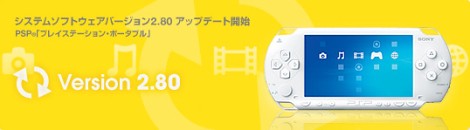
Firmware 2.80 includes the following changes:
NETWORK
You can now download video and image content under [RSS Channel]. Note: support for download but not streaming content.
You can now register devices via a wireless LAN access point under [LocationFreeâ„¢ Player]
MUSIC
You can now play AAC files with file extension .3gp under [Music]
OTHER
You can now play content saved in “MUSICâ€ÂÂ, “PICTURE†and “VIDEO†folders on a Memory Stickâ„¢
:wink:
]]>Turn Off LCD Backlight
Some of you who’ve read through the manual may already know this, but to turn off the LCD backlight instead of waiting for it to go out,
*Hold the backlight-intensity button (the one under the screen on the right of the PSP logo) for a couple of seconds until the screen goes black.
Mute Sound on PSP
Hold the music note button (the one under the screen to the left of the Select button) for a few seconds until the sound goes out. Press again to restore sound.
Put PSP Asleep
Sleep mode: slide the Power switch all the way up quickly and the system will enter Sleep mode.
Power PSP Off
Hold the Power switch all the way up for a few seconds until the Screen goes black and the backlight turns off.
Post your tips away!!
*Concura
WooHoo!
Erik
]]>Share please!
http://www.engadget.com/entry/1234000853061238/
Let’s do that discussion!
]]>This is more towards the Asian market, but some of the things should translate to the US market too. I guess beware if it’s too cheap:
Erik
]]>The volume adjustment for the PSP is ‘normal’ ‘+1’ and ‘+2’. It makes just enough difference that you can actually hear the TV now without straining your ears…good upgrade for that alone. RSS and WMA just make it that much better.
Erik
]]>Faaaake.
]]>fm radio’ed psp
]]>