silicon pop culture!

  • blog
  • articles
  • about
  • forum
  • search
  • Forum Home  \  Sony VAIO TR  \  Hardware  \  Thread
Welcome Guest
Login  ·  Register  ·  Member List  ·  Search
Username Remember Me? 
Password   forgot password? 
   
 
CF Card for SSD - it works!
 
jarros
Posted: 07 September 2008 09:09 PM   [ Ignore ]  
Embryo
Rank
Total Posts:  5
Joined  2007-10-06

Hey everyone, I’ve been browsing this site from time to time since I bought my TR2A about a year ago.  I thought some of you might be interested in a recent mod I did to the laptop: replacing the old (and dying) hard drive with a compact flash card.  I’m not sure if anyone has done this before, I didn’t see it documented on this site.

I bought a Transcend 8GB 300x CF card for just over $80 and a 1.8” IDE to CF adapter.  Notice that the adapter is different than the 2.5” form factor IDE connector.  It’s still 50 pin (with 44 pins in use, I think).  I bought it off eBay for a few bucks.  Search for “1.8 CF to IDE” - these adapters are used to allow people to replace a iPod’s Toshiba hard drive with a CF card.  I’m not sure what you’d look for if you have a Hitachi drive, but I’m sure there’s something similar on the market. 

The Transcend card is quite fast, reading and writing at 45mb/s I believe, so it’s faster than a lot of the other SSD’s on the market.

Installation is simple, thanks to pugwash75’s photo step-by-step instructions (thanks a bunch!).  The Transcend card is recognized as a fixed disk when you install windows.  I used nLite to trim the Windows installer down to about 250mb.  Before installing a bunch of drivers and software, Windows booted in under 20 seconds (from the time I pressed the button to the time it was fully loaded).  Now it’s closer to a minute - I might try reinstalling Windows and see if I can trim off a bit more.  Battery life also appears to be extended by 15-20% or so.

I’ve got Windows, Office 2003 (Word and PPT), firefox, AVG, ZoneAlarm, and a few other apps installed, and that’s only taking up under 2GB on the 8GB card.  You could probably get away with buying the 4GB Transcend card for $45 if you don’t need a ton of space.  You can always get a PCMCIA to CF adapter and throw in a slow (cheaper) 32GB card if you need more space.

Overall, I’m quite happy.  The old drive was dying anyway, so this was a great way to give new life to the TR.  If you’ve got questions or want to know more details, feel free to ask!
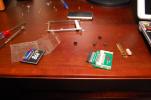
Image Attachments
CF-HD-Mod1.jpg
Click thumbnail to see full-size image
Profile
 
 
jarros
Posted: 07 September 2008 09:10 PM   [ Ignore ]   [ # 1 ]  
Embryo
Rank
Total Posts:  5
Joined  2007-10-06

Here’s another pic of the card and adapter installed.

Image Attachments
CF-HD-Mod2.jpg
Click thumbnail to see full-size image
Profile
 
 
Samurai®¥©
Posted: 08 September 2008 12:49 PM   [ Ignore ]   [ # 2 ]  
Ultimate Fn Combo Master
Avatar
RankRank
Total Posts:  177
Joined  2007-03-20

My first reluctant question is (because I literally bought a 16GB SSD the other day) if this adapter could be used for 2.5” CF? If this is the case and so long as it would fit, this would bring the possibility of being able to use 1.8” and 2.5” drives, allowing for much larger drive sizes and availability.

Nonetheless, great job on this modification!

 Signature 

Sony PCG-TR2A
(Upgraded - 16GB Samsung SSD, 1GB RAM, Bluetooth, 802.11B/G/N, working Motion Eye)

Sony PCGA-AC16V6
Sony PCG-7D2L
Sony MDR-V150
Sony DSC-T10
Sony DCR-DVD103
Sony USM-2GH
Sony MSX-M1GST
Sony Vegas 7.0
Sony Media
Sony Racing Baseball Hat

Profile
 
 
jarros
Posted: 08 September 2008 01:56 PM   [ Ignore ]   [ # 3 ]  
Embryo
Rank
Total Posts:  5
Joined  2007-10-06

Are you wondering if there are adapters for Compact Flash cards to be used in the place of 2.5” drives, or are you asking if 2.5” drives can be used in the TR series?

I know that there are adapters that allow you to use CF cards in the place of a 2.5” drive.  Addonics is one manufacturer that has these, and I’ve also seen them on eBay.  But for putting a 2.5” drive in the TR, I don’t know if it’s possible, I haven’t tried.

I found a lot of info on using CF cards for boot drives on the thinkpad forums.  A quick google search will bring up that thread.

Profile
 
 
Samurai®¥©
Posted: 08 September 2008 02:22 PM   [ Ignore ]   [ # 4 ]  
Ultimate Fn Combo Master
Avatar
RankRank
Total Posts:  177
Joined  2007-03-20

Dude, I am stupid. I don’t know what I was thinking. My whole thought was not well though out lol. Nevermind my stupidity smile

Thanks again for your modification.

 Signature 

Sony PCG-TR2A
(Upgraded - 16GB Samsung SSD, 1GB RAM, Bluetooth, 802.11B/G/N, working Motion Eye)

Sony PCGA-AC16V6
Sony PCG-7D2L
Sony MDR-V150
Sony DSC-T10
Sony DCR-DVD103
Sony USM-2GH
Sony MSX-M1GST
Sony Vegas 7.0
Sony Media
Sony Racing Baseball Hat

Profile
 
 
anubius
Posted: 04 October 2008 09:41 AM   [ Ignore ]   [ # 5 ]  
Embryo
Rank
Total Posts:  11
Joined  2007-05-01

Excellent job! This project is true alternative to Solid State drives in TR since looks like there prices will never go to the state of being affordable. It is very tempting to do the same for my TR but the sad thing is that I’ve already did the upgrade to 60gb Toshiba drive and it is working fine for now and plus I am having some other issues with my laptop so I am not sure about it’s future. Thanks for posting your experience is very incredible addition to TR projects.

Profile
 
 
Subliminal Aura
Posted: 06 November 2008 06:52 AM   [ Ignore ]   [ # 6 ]  
Embryo
Rank
Total Posts:  16
Joined  2007-12-10

Excellent job… well done !

I was considering doing exactly the same but have been worried about the quality of the cf adapter.

Can you download hdtune and run a benchmark for us ?

Many thanks in advance.

Profile
 
 
mw7301
Posted: 30 November 2008 03:31 PM   [ Ignore ]   [ # 7 ]  
Embryo
Rank
Total Posts:  5
Joined  2008-06-07

I’m thinking of doing the same thing with the Pretec CF card. Their 32gb is 233X with read/write speeds of 35mb/25mb for $97 and free shipping. I currently have the 16gb Samsung SSD but it is just a hair too small for what I need to do and the $400-$450 for the 32gb version of the Samsung is just crazy considering the pricing on the alternatives.

Great job on the modification!!!

Profile
 
 
mixty
Posted: 10 December 2008 09:29 PM   [ Ignore ]   [ # 8 ]  
Embryo
Rank
Total Posts:  7
Joined  2008-09-07

Thanks for sharing your experience.

I followed your path and bought a Trancend 300X CF card. However after installation the CF card is only detected as UDMA mode 2 (33MB/s) although it supports mode5 (100MB/s). This significantly limits the maximum throughput this fast card can do (achieving only 20MB/s instead of 40MB/s on another computer). Is yours like that too? How do you tackle this problem?

(There is no jumper on the card besides for master/slave, and in BIOS there is no “force DMA” setting either.)

Thank you!

Profile
 
 
jarros
Posted: 10 December 2008 09:52 PM   [ Ignore ]   [ # 9 ]  
Embryo
Rank
Total Posts:  5
Joined  2007-10-06

Thanks for bringing that up mixty.

I just took a look at my drive (going to Device Manager and checking the properties of the Primary IDE) and it looks like I’m running on UDMA 2 as well.  Strange, I was sure that I saw UDMA 5 somewhere when I was booting it up, or maybe in the BIOS.  Perhaps new IDE drivers would change this?  Or maybe a BIOS update?

I was going to run a test with HD Tune, but it looks like my trial expired.  I seem to recall only getting 25MB/s, although I can’t confirm that now.  Still, the OS responds much faster than it did with the old HD, although I’d like to maximize the speed of this card if I can.

If anyone has any suggestions, I’d love to hear it!

Profile
 
 
mixty
Posted: 13 December 2008 04:09 AM   [ Ignore ]   [ # 10 ]  
Embryo
Rank
Total Posts:  7
Joined  2008-09-07

I tried some methods found on Google and none worked unfortunately.

At first I wanted to find a registry key/value to switch the Ultra DMA mode, but there doesn’t seem to be one for that. I tried adding EnableUDMA66, removing Master/SlaveIdDataChecksum values as suggested. Not working.

Next I tried searching for a utility by keywords ‘Ultra DMA mode utility’, it led me to Maxtor, Seagate and Hitachi’s tools for changing UDMA modes, but they’re all brand-model-device-dependent and it can’t be used for the Transcend CF.

I found that only Maxtor’s tool (66to100.exe) can be run straight from Windows (the other runs under DOS), so the idea of trying it on a Maxtor hard disk came to me. And during the operation, I would capture the registry changes for comparison of the difference before and after, so as to apply the difference on the Transcend CF to achieve the same effect. But the story ends because I don’t have a Maxtor! Damn.

Then suddenly I realized it may be just the limitation of the adapter (as a hardware pro I consulted said that), since I can see in the information tab of HDTune it successfully detects the maximum UDMA capability of the card as UDMA mode 5, but it still runs as mode 2. Why it can’t go up to 5? I think it is the same reason behind why that desktop hard disk runs at UDMA mode 2 with that old 40pin IDE cable—the adapter is the old 40pin IDE cable here limiting the capability.

I’ve spent enough time on this, I promise I will live with this and won’t tamper with it no more. I will… :(

Profile
 
 
mixty
Posted: 13 December 2008 04:17 AM   [ Ignore ]   [ # 11 ]  
Embryo
Rank
Total Posts:  7
Joined  2008-09-07

I noticed above some are looking for benchmarks. I recently did a small review of this card: Transcend 300X SLC CF vs 133X MLC CF vs the 4200rpm 1.8” harddisk. Unfortunately it was not written in English. :( but you may still go for the screen shots of benchmark programs:

Transcend 300x SLC vs 133x MLC CF vs 1.8” 4’200rpm HDD (Google Translated)

Profile
 
 
mixty
Posted: 23 December 2008 06:31 AM   [ Ignore ]   [ # 12 ]  
Embryo
Rank
Total Posts:  7
Joined  2008-09-07

Hello. Just a quick update. I found a partial solution to this problem on a Chinese web site: mobile01.com. The key is a command line program called hdparm. (originally a linux program but was ported to Windows.) It supports live tuning of UDMA modes!! You can use the following command to change a drive’s to DMA mode:

hdparm -X udma5 hda

(where hda is the first hard drive of the computer. It can be hdb, hdc for other hard drives)

However, there’s only one HUGE problem. The setting is reset every time the computer reboots and resumes from standby. To tackle this, one would use Windows’ Task Scheduler to create a task (using a .bat or shortcut file) to run hdparm on startup and on workstation unlock. (the latter is only available in Vista; for XP, one may assign a hotkey using AutoHotKey or in the “Properties” window of the hdparm shortcut. That means, after the computer resumes from standby, hit your buttons and hdparm will run.).

If the workstation unlock method is used, be sure to enable password protection after wakeup from standby, or else it would fail.

Attached are benchmarks before and after enabling UDMA5 and my Vista’s Task Scheduler settings.

hdparm may be downloaded here.

That’s it.

PS: Don’t know why the write speed is terribly slow. If you don’t mind, can you test your card too? (using FDBench or CrystalMark 2004 from a Google search) I’m thinking maybe the Transcend CF is not compatible with the TR :(

Image Attachments
transcend_300x_udma5_by_hdparm.pngsony_transcend_300x_fdbench.pngtaskschd_workstation_unlock2.png
Click thumbnail to see full-size image
Profile
 
 
jarros
Posted: 23 December 2008 10:42 AM   [ Ignore ]   [ # 13 ]  
Embryo
Rank
Total Posts:  5
Joined  2007-10-06

Thanks for all your work mixty!

I’ve run FDBench before and after using hdparm and saw a similar improvement in performance.  However, my write speeds are double what you observed, even before running hdparm.  Attached are my results.

Also, I noticed that the device manager for the IDE channel still shows that the drive is running on UDMA 2, even though it has been changed with hdparm.  I’m going to reboot the system now and see if it hangs on to the DMA mode change.

Image Attachments
FDBench.jpg
Click thumbnail to see full-size image
Profile
 
 
mixty
Posted: 24 December 2008 09:21 AM   [ Ignore ]   [ # 14 ]  
Embryo
Rank
Total Posts:  7
Joined  2008-09-07

Thanks for your results jarros!

I heard that Transcend 16GB is slower than 8GB, maybe that is true. But I achieved faster speed when tested on a desktop computer with CF-to-IDE adapter (20MB/s). However, still Transcend’s CF is not as fast as others; I saw some results of Kingston 266x with an almost equally amazing write and read speed, so are Sandisk’s CFs (need to first change it to fixed disk mode in order to be used as hard drive though).

I think I’ll try to upgrade to a newer system BIOS to see if there’s any improvement, since I’m using the old old original TR1. Maybe a TR3 BIOS will help.

Profile


‹‹ Laptop not booting - memory problem?      Optical Drive Hack Project ››
Script Executed in 0.5781 seconds
RSS 2.0     Atom Feed
© 2003-2007 siliconpopculture.com

xhtml 1.0 transitional valid!  Creative Commons License  Powered by ExpressionEngine  Add to Technorati Favorites extremeTracking title=

eXTReMe Tracker