Fujitsu P2120 CDRW Upgrade
Introduction
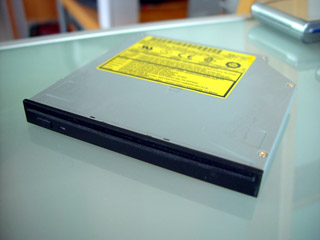
I love my P2120 and I decided it might be more cool if it had a slot loading drive similar to that of Apple Powerbooks. I figured it must be fairly easy since most laptop drives are fairly standard. I managed to find one on eBay and so I got my hands on a Panasonic CW-8122-B slot loading DVD/CDRW drive.
Installation
Upon closer inspection, I noticed that the all of the Fujitsu modular bay items have a notch in them on the right side to make room for the manual eject button. The Panasonic drive didn’t have such a thing so I knew I was going to have to make a modification.
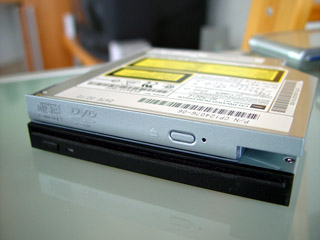
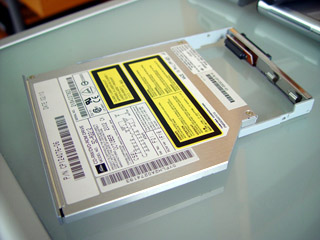
The regular drive is secured with four small screws to a holder that snugly fits the modular bay slot. It also features a hotswap connector. I didn’t take long to make the cuts and then I proceed to remove the original drive from the holder. I then swapped the drive out for the new drive.
Final Results
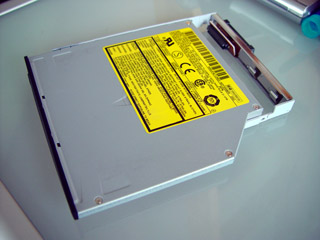
Once this was done. All that was left to do was to restart the system with the new drive installed. Windows XP immediately recognized the drive and within seconds it was usable. Here are some final results of what it looks like.

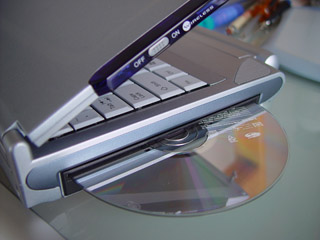
Yes, the first thing you notice is that it’s black. I’m not too crazy about that since it doesn’t match but I will fix that with some paint. However, it works like a charm and is “cool”. The new drive also has better specs than the original Fujitsu drive. The drive is 24x read, 24x CD-R write, 10x CDRW, and 8x DVD read and features an UltraDMA 2 IDE connection for good performance. I like this drive because it’s relatively quiet as well. I know I lose the ability to use those smaller CDs but I don’t use those anyways. I haven’t tested the battery performance and will save that for another article.
I’ve included a little MPEG file you can watch to see the drive in action.


